

kbagent command reference
Reference for the kbagent CLI — global flags, JSON output, every command group and its subcommands (project, config, job, storage, flow, sync, branch, workspace, token, agent), and error codes.
Every kbagent command lives in a group. This page lists the groups and their subcommands; run kbagent <group> --help for exact flags and kbagent context for the full machine-readable reference (built for AI agents — see Use with AI agents).
Global flags
Section titled “Global flags”Available on every command:
| Flag | Effect |
|---|---|
--json / -j | Machine-readable output: { "status": "ok", "data": … }. Always use it for scripting/agents. |
--verbose / -v | Verbose logging. |
--no-color | Disable colored output (auto-off in non-TTY). |
--config-dir | Use a specific config directory. |
--deny-writes | Session firewall: block all write, destructive, and admin operations. |
--deny-destructive | Session firewall: block only data-destructive operations. |
--allow-env-manage-token | Permit reading KBC_MANAGE_API_TOKEN from the environment (default-deny). |
$ kbagent --json project list{ "status": "ok", "data": [ { "alias": "docs-demo", "project_name": "L0 - Shopify", "project_id": 264, "stack_url": "https://connection.europe-west3.gcp.keboola.com", "is_default": true, "org_id": 56 } ] }Setup & info
Section titled “Setup & info”init, doctor, version, update, changelog, context, repl, serve, permissions.
Project management
Section titled “Project management”project—add,list,remove,edit,status,use,current,info,refresh,invite,member-list,member-set-role,member-remove,invitation-list,description-get/set.org—setup(bulk-onboard projects / a whole organization).token—create(scoped, shown once),refresh(rotate),delete(revoke).feature— feature-flag management (super-admin Manage token).
Browse & inspect
Section titled “Browse & inspect”-
search— find configs/tables/buckets/flows by name or content, across projects. Global Search by default;--search-type config-basedscans configurations where Global Search isn’t enabled.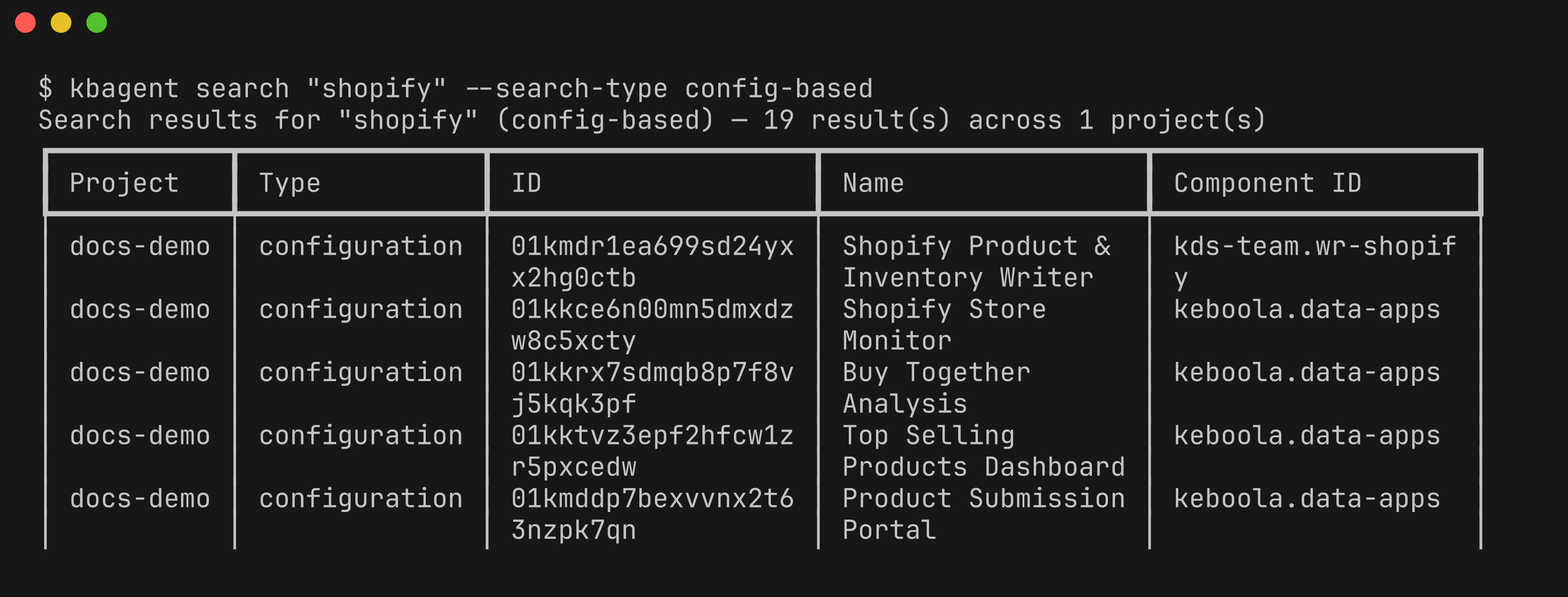
-
config—list,detail,search,update,delete; rows (row-create/update/delete); variables (variables-set/get/clear); metadata;oauth-url. -
job—list,detail,run,terminate. -
storage— buckets, tables, and files (browse and manage). -
lineage— cross-project, column-level data lineage: mermaid, HTML, or ER output, plus a local interactive viewer (lineage server).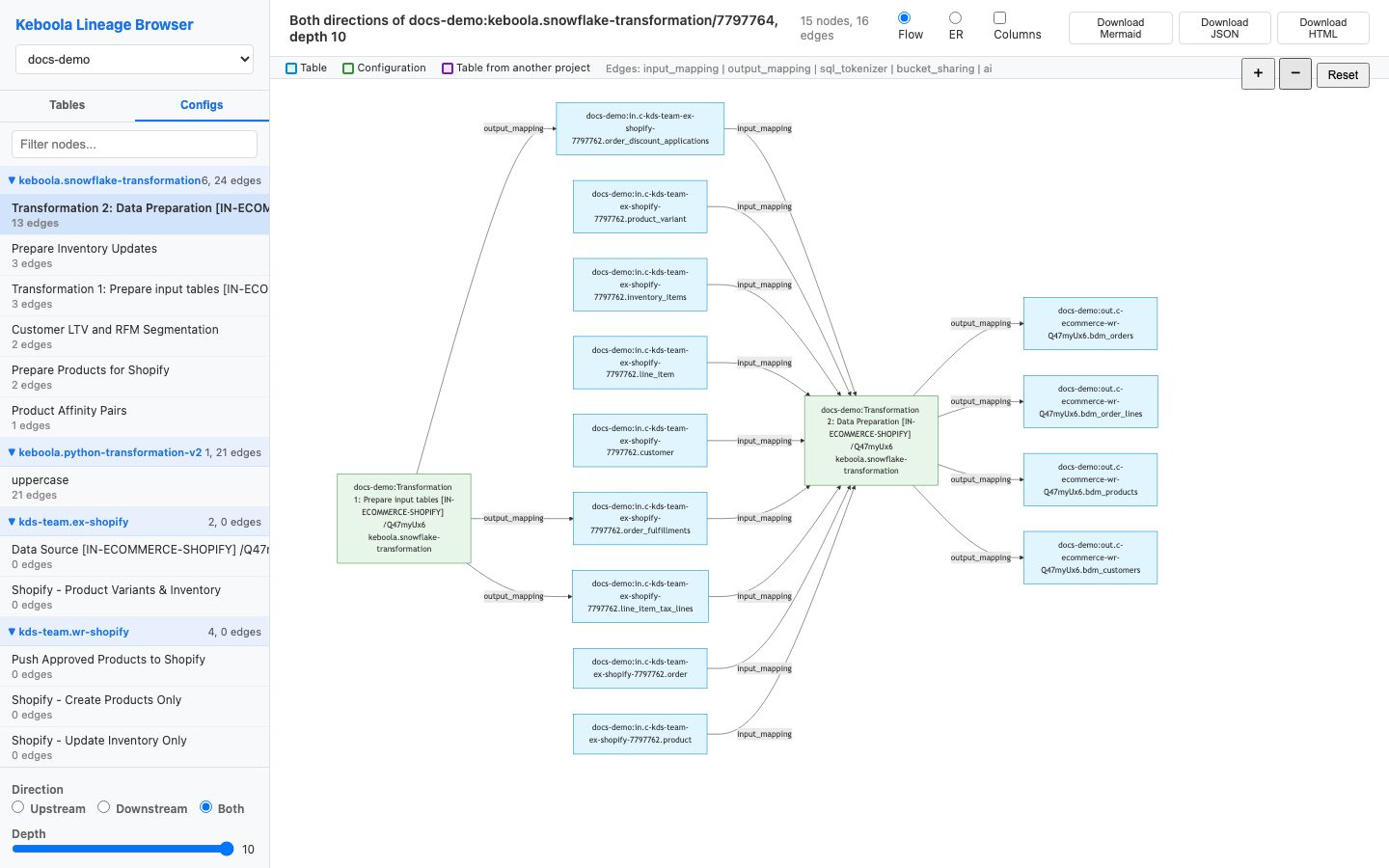
-
component,data-app,stream,sharing,kai(beta —kai askqueries Kai from the shell).
flow—list,detail,schema,validate,new,update,delete,schedule,schedule-remove.schedule— discover and audit cron schedules across projects.
Development
Section titled “Development”branch—list,create,use,reset,delete,merge, plus branchmetadata-*.workspace—create,list,detail,delete,password,load,query,from-transformation,gc.sync—init,pull,status,diff,push,clone,branch-link/unlink/status.encrypt—values(one-way encrypt#-prefixed secrets).tool— call Keboola MCP tools directly.agent— scheduled AI agents: cron-driven agent tasks that run against your projects unattended (recipe):list,show,create,update,delete,run,runs,run-detail,run-events,test,prompt-improve,cron-preview.semantic-layer,dev-portal,http.
Error codes
Section titled “Error codes”With --json, failures return a stable string code you can branch on, grouped into categories (auth/access, network, API, configuration, jobs, storage, sync, and more) — for example INVALID_TOKEN, TIMEOUT, QUEUE_JOB_FAILED, UNKNOWN_ERROR. The full list is in the CLI’s docs/error-codes.md.
The full, live reference
Section titled “The full, live reference”kbagent <group> --help # subcommands + flags for a groupkbagent context # complete reference (machine-readable, for agents)Next: Web UI →